
Holiday Trading lets you change how much annual leave you have for the year. Depending on what your employer offers, you may be able to buy extra holiday, sell holiday you don’t expect to use, or both.
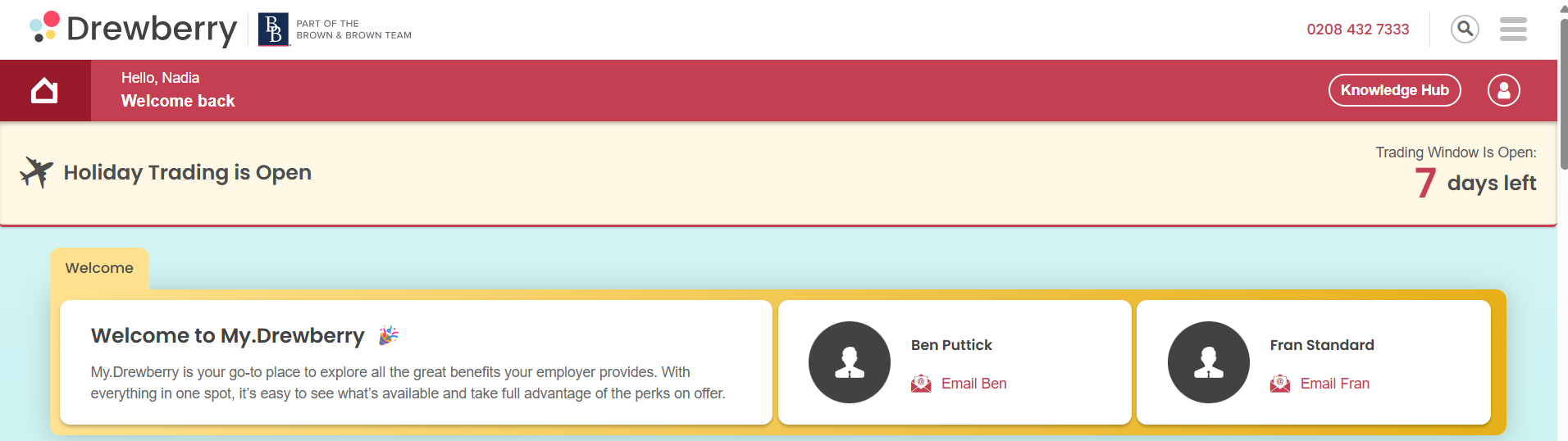
Your employer opens a trading window for a set period. While it’s open, you’ll see a Holiday Trading card on your My.Drewberry dashboard showing what’s available to you.
See it in action 👇
💷 What it costs
If you buy holiday, the cost is spread across your pay over the year, so you’ll see a fixed monthly amount rather than paying for it all at once.
If you sell holiday, the value is added to your pay across the year in the same way.
Either way, you’ll see exactly what your selection means for your monthly pay before you confirm anything.
⚠️This is a salary sacrifice benefit
That means the amount comes out of your pay before tax, so buying holiday usually costs you less than the full value of the days. You can read more about how salary sacrifice works in the Knowledge Hub.
✏️ Making your request
When your window is open, a banner appears at the top of your dashboard with a countdown of the days left.
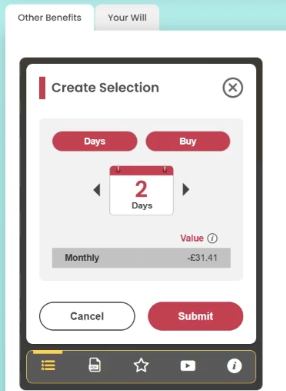
- On your Holiday Trading card (found in ‘Other Benefits’), click the actions icon at the bottom, then Create Selection.
- At the top you’ll see what applies to you: whether you’re trading in days or hours, and whether you’re buying or selling. These are set by your employer, so there’s nothing to choose here.
- Use the arrows to set how much you’d like. You can only pick whole days or whole hours, and you can’t go above the maximum your employer has set for you.
- Check the monthly value, then Submit.

✍️ Signing your agreement
This is the step people miss. Your request isn’t finished until your agreement is signed.
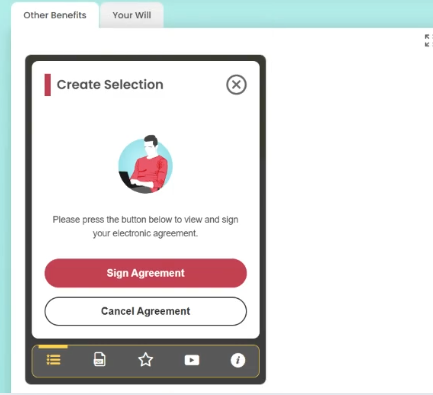
Once you submit, your agreement is created and you’ll be asked to sign it. It sets out what you’ve asked for, what it means for your pay, and over what period. It takes less than a minute.
Until it’s signed, your request won’t go to your employer, and if it’s still unsigned when your window closes, your request is cancelled.
⏳ What happens next
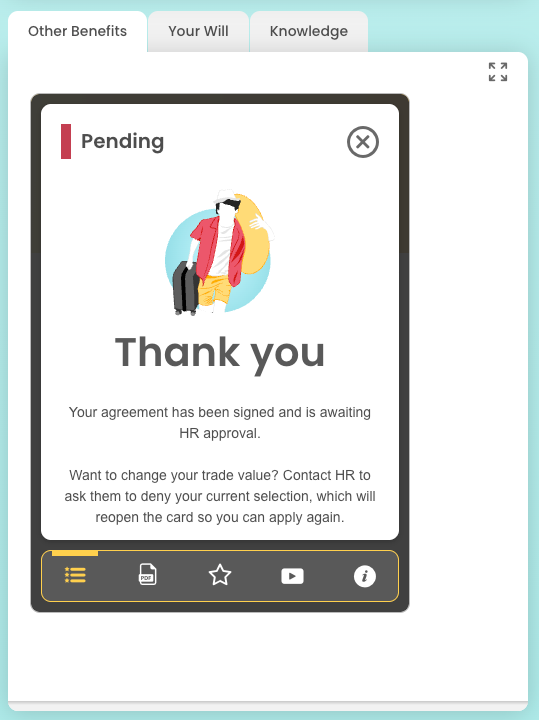
Once you’ve signed, your card shows your request as pending while it waits for your employer to approve it.
If it’s approved, your card updates to show what you’ve traded and the monthly amount. Extra holiday is added to your allowance and you book it like any other leave. The monthly amount shows on your payslip as a salary sacrifice, and it’s fixed for the year – it won’t change if your pay does.
🔄 Changing your mind
Once you’ve signed your agreement, you can’t change your request yourself.
If you’d like to change it, contact your HR team and ask them to deny your current request. That reopens your card so you can make a new selection, as long as your window is still open.
📩 Emails you’ll get
We’ll email you when your trading window opens, telling you what’s available and when it closes.
We’ll email you again once your employer has made a decision, whether your request is approved or not. If it isn’t approved, nothing changes on your pay or your leave.
❓ Common questions
How much can I buy or sell?
Your employer sets this, and your card shows your maximum.
Why can’t I see the option to sell?
Your employer chooses what to offer. If only one option appears, that’s the only one available to you this time.
What happens if I miss the window?
You won’t be able to trade until your employer opens the next one.
What does salary sacrifice mean for me?
It’s a way of exchanging part of your pay for a benefit, before tax is taken. Read more about salary sacrifice.
Who do I ask about my own allowance?
Your HR team. They set what’s available to you and make the final decision on requests.
🙋 Need help?
Speak to your HR team, they’ll be able to help with anything specific to your scheme.